

Organising Books, Articles and Notes in One Library
September 8, 20263 min read
Keep books, saved articles, feeds and notes in one pimReader library with one search, organise it with folders and tags, and keep it synced and backed up.
Skip to the guideBooks in one app, articles in browser tabs, feeds in another app and notes in a fourth: nothing links, so things are hard to find again.
The fix is not a better filing system but one place, so that search, the dictionary, your notes and your daily reviews all see the same material.
What goes in
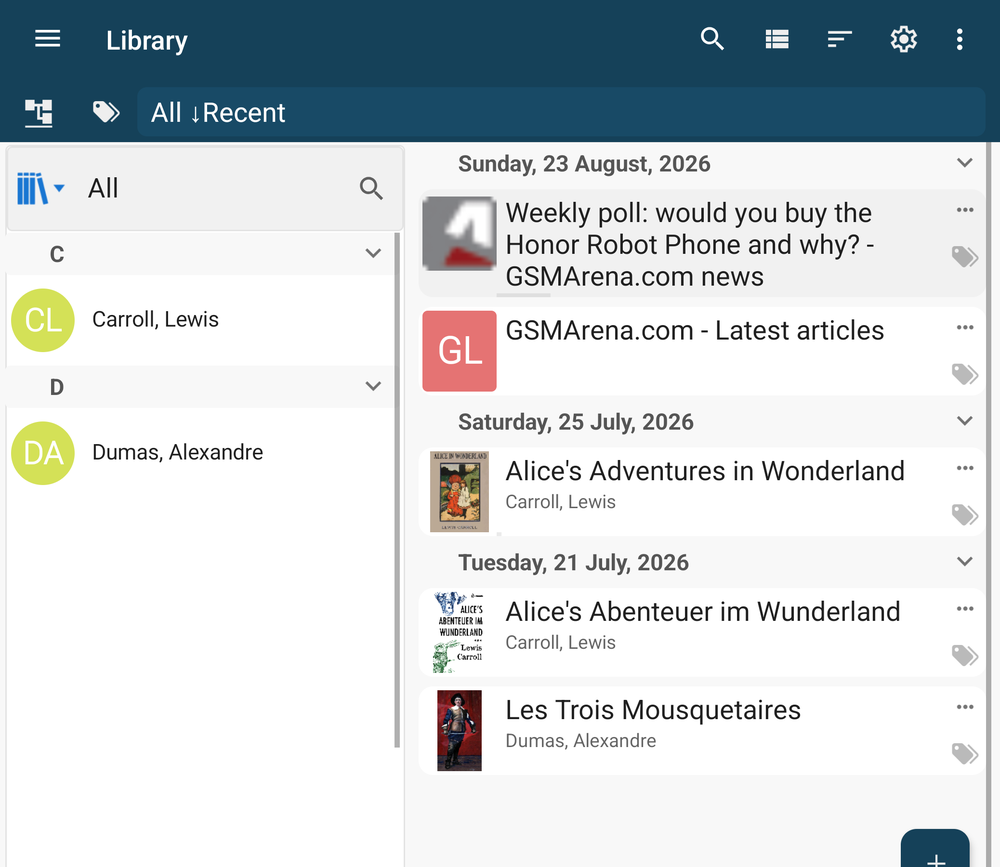
Books. EPUB, PDF, MOBI, AZW3, FB2, TXT, HTML and Markdown. Tap Open a file to add one from the device, or open it from any file manager on the phone.
Articles. Save a web page and it is reduced to its text, without banners or pop-ups, and kept for offline reading.
Feeds. RSS and Atom, OPDS catalogues, X accounts and Telegram channels, all in one list. A built-in directory of feeds by topic gives you a starting point.
Your own notes. Anything you capture while reading (a passage, a comment, a flashcard) is filed under the book or article it came from.
Once inside, all of these open in the same reader, with the same dictionary, and turn up in the same search.
Organise by theme, not by source
Two tools, and a rule for using them.
Folders hold things that belong together for a purpose: a course you are working through, a project, a book's notes. Make one when you have a reason to open it later, not before.
Tags cut across folders: formulas, to-discuss, easily-confused, a language, a client. A tag answers a question you will ask in three months, such as "everything I saved about pricing", wherever it came from.
The rule: organise by what you will search for, not by where it came from. You will not search for "Chapter 4" or "from the Economist". You will search for "causes", "numbers" or "disagreements".
The library already sorts by date added, author or title and lets you browse by author or source, so you start with some structure. Add folders and tags on top of it.
To find things by meaning rather than by exact words, sort a feed by topic, or get a summary before you read, see Summaries, Questions and News Sorted by Topic.
Read it here, and keep what matters
Whatever you open reads the same way: paged like a book, with a translation above the word if you are reading in another language, and the same dictionary a tap away.
Anything worth keeping (a passage, a fact, a word) becomes a note or a flashcard with one action, filed under its source. Months later you can go from the card back to the page and read the sentence around it again. Nothing is retyped.
Sync and backup
There is no pimReader account. If you want your library on more than one Android device, turn on sync in Settings under Cloud Sync & Backup: the app keeps its data in a pimReader folder on your own Google Drive and exchanges changes between devices signed into the same Google account. You can also save everything to a zip file with Backup Data and bring it back with Restore Data.
Setting it up
- Add the books you are reading now. Not the whole shelf; the three or four you will open this month.
- Add the five feeds you would miss, or pick a few from the built-in directory.
- Make one folder for what you are working on now. Stop there.
- Add tags as questions come up, not in advance.
- Save articles into the library instead of leaving them in tabs.
- Turn on sync or make a backup once the library holds things you care about.
Then read. The organising happens as you read, a tag here and a note there, and search turns it back into something useful.
The library, feeds, saved articles, notes, tags, folders, sync and backup are free; search by meaning, topic sorting and summaries use AI, which is part of pimReader Plus, free for the first month.