

Flashcards, practice and an AI tutor, all from what you read.
Help me to learn Spanish for a trip in May
Travel Spanish — Beginner (6 weeks)
- Lesson 1 — Greetings and introductionsCompleted
- Lesson 2 — At the caféIn progress
- Lesson 3 — Asking the way
- Lesson 4 — Tickets and times
How do you ask for the bill?
- La cuenta, por favor.
- La carta, por favor.
- La mesa, por favor.
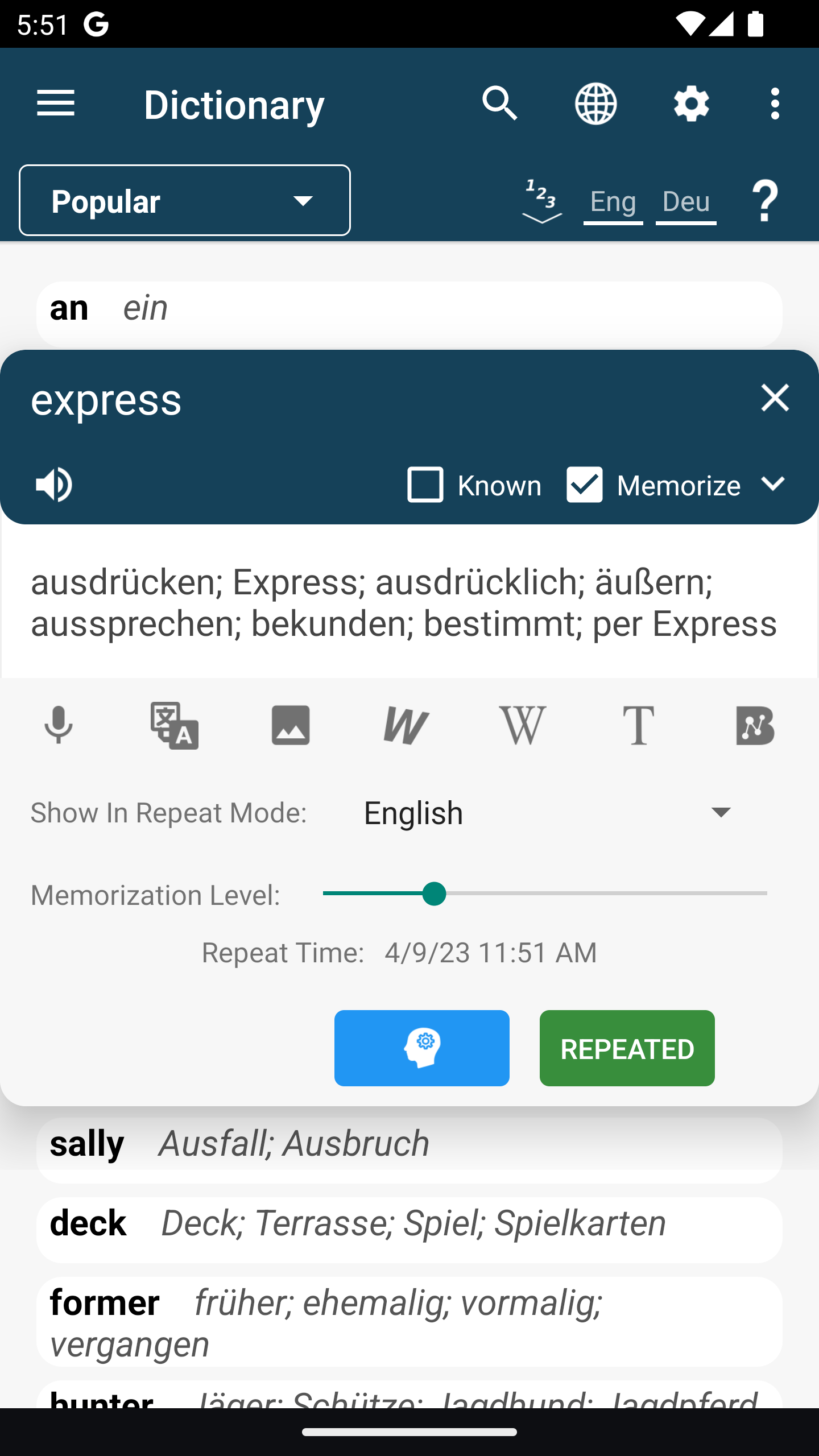
Tick Memorize on a word, a phrase or a note, and it becomes a flashcard. pimReader brings each card back when you're likely to start forgetting it. Add a few words a day and reviews take a few minutes.
Cards and reviews are free, work offline and sync between your Android devices. pimReader asks once whether to remind you when cards are due.
AI Mentor can also make a course on any subject, AI practice uses your own words, and you can speak and get a pronunciation score.
What you can do
Cards and reviews
- Tick Memorize on a word, a phrase, a note or a bookmark to make a flashcard
- Review your cards for a few minutes a day, also offline
- See the next date on each answer button before you choose
- See which words you know; unknown words get a translation above them
- Change a card's progress by hand
- Keep your progress on several Android devices with sync
With AI
- AI Mentor courses on any subject, with lessons, exercises and quizzes
- AI practice sessions built from your own words
- Speaking practice with a corrected phrase and a score out of 100
- Flashcards written from a passage

Reviews that follow how well you know each card
Each answer button shows when you'll see the card again — 10 minutes, 3 days, 4 months. Cards you know well get out of your way.
pimReader plans your reviews with spaced repetition that tracks how well you know each card. A card you know well comes back after months; a hard one comes back soon.

Cards for languages and for facts
To make a word card while reading, tap the word, then tap its translation in the dictionary and tick Memorize. The dictionary shows how common each word is, so you can learn the common ones first.
Not learning a language? Cards work the same way for facts, formulas or quotes from any book.

Practice sessions
AI writes new sentences from your own words. Choose a mode: Memorize Words (short sentences for new words), Exercise (build sentences), Develop Fluency (longer sentences to read, translate or listen to), Practice Dialogs (a conversation, line by line), Practice with AI Assistant (a chat that uses your words), or a spoken session.
Choose which words to use: words due today, words from your last reading, a random set, or a topic you type, such as Shopping. Set the level from A1 to C2.
In a spoken session you can say a phrase aloud. You see what was heard, the corrected phrase and a score out of 100.
Practice sessions don't change your review dates. A spoken review session does: words you get wrong come back sooner. If a sentence is useful, save it as a flashcard.
Go further with AI Mentor
Tell AI Mentor your goal, in any subject, and it plans a course with lessons, exercises and quizzes, made from your own material.
Meet AI Mentor