

Summaries, Questions and News Sorted by Topic
September 20, 20263 min read
Three reader tools help you spend your reading time on the right text: a summary before you start, answers drawn from the page, and news sorted by topic.
Skip to the guideYou will always have more to read than time to read it. pimReader's reader has three tools for that. None of them reads for you; each helps the hour you have go to the right text.
1. A summary before you commit
Open the panel beside any article and you will find ready requests: Summarize content, Short summary, Key points of article? and Main idea. One tap, and the answer appears next to the text; the article stays where it was.
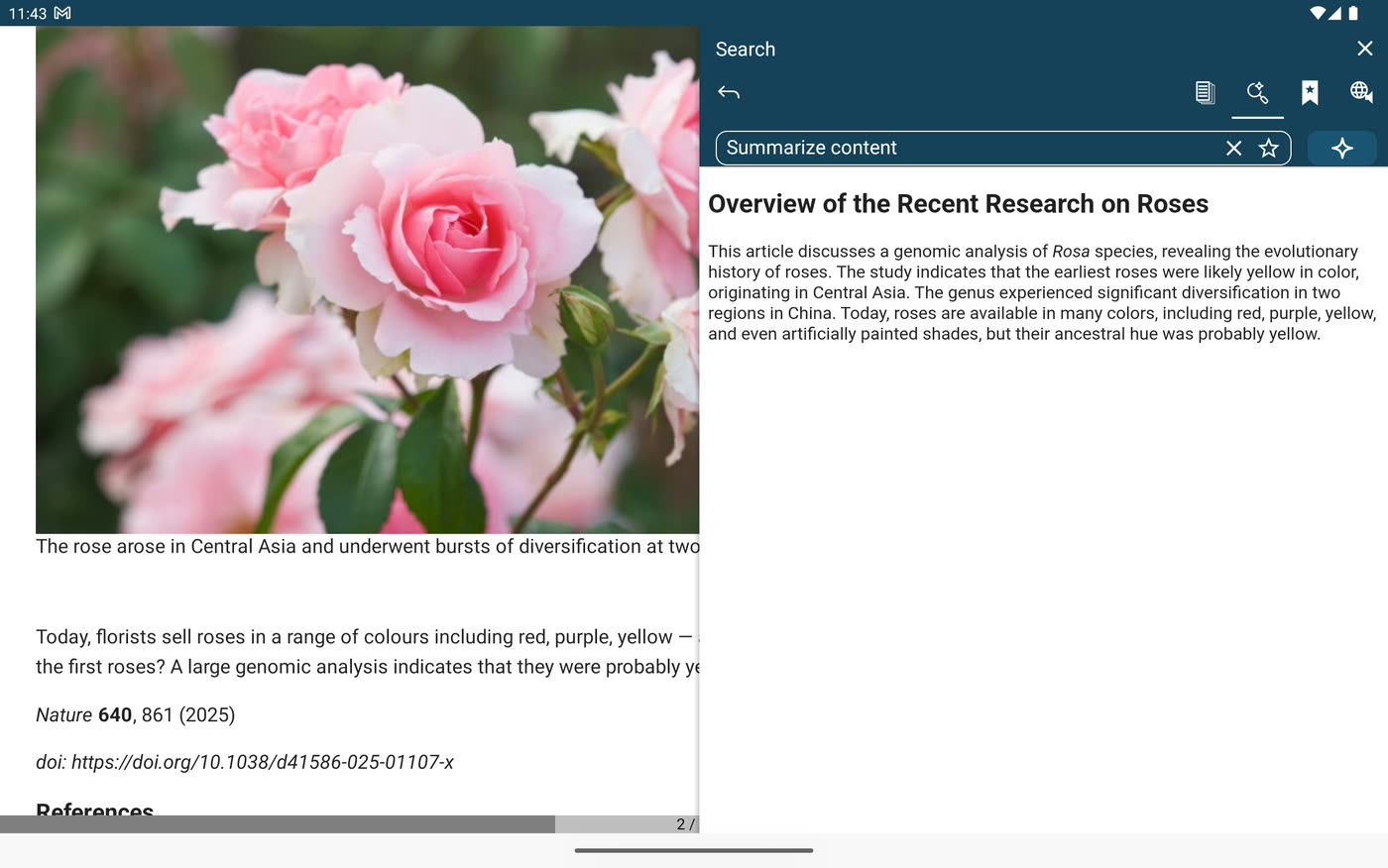
The first use is triage. Ten open articles, ten main ideas, and you can see which two are worth twenty minutes each.
The second use is for language learners. A hard article in a language you are learning is easier when you already know what it says. Read the summary first (in your own language if you like), then read the article, with a translation above each word you don't know.
Two details worth knowing:
- You can type your own request and save it with a star. If "explain this as if I were new to the subject" is what you always ask, it is one tap away next time.
- From the Ask AI start screen you can ask for a digest of the unread news of the last two days on a topic you name. It is a quick way back in after a weekend off.
2. Ask the text a question
The same panel takes questions. Not questions to the internet, but questions to the page you are on. What does this term mean here? Which year was that? What is the author's argument against the proposal? The answer is drawn from the text and stays beside it, so you carry on reading from the line you were on.
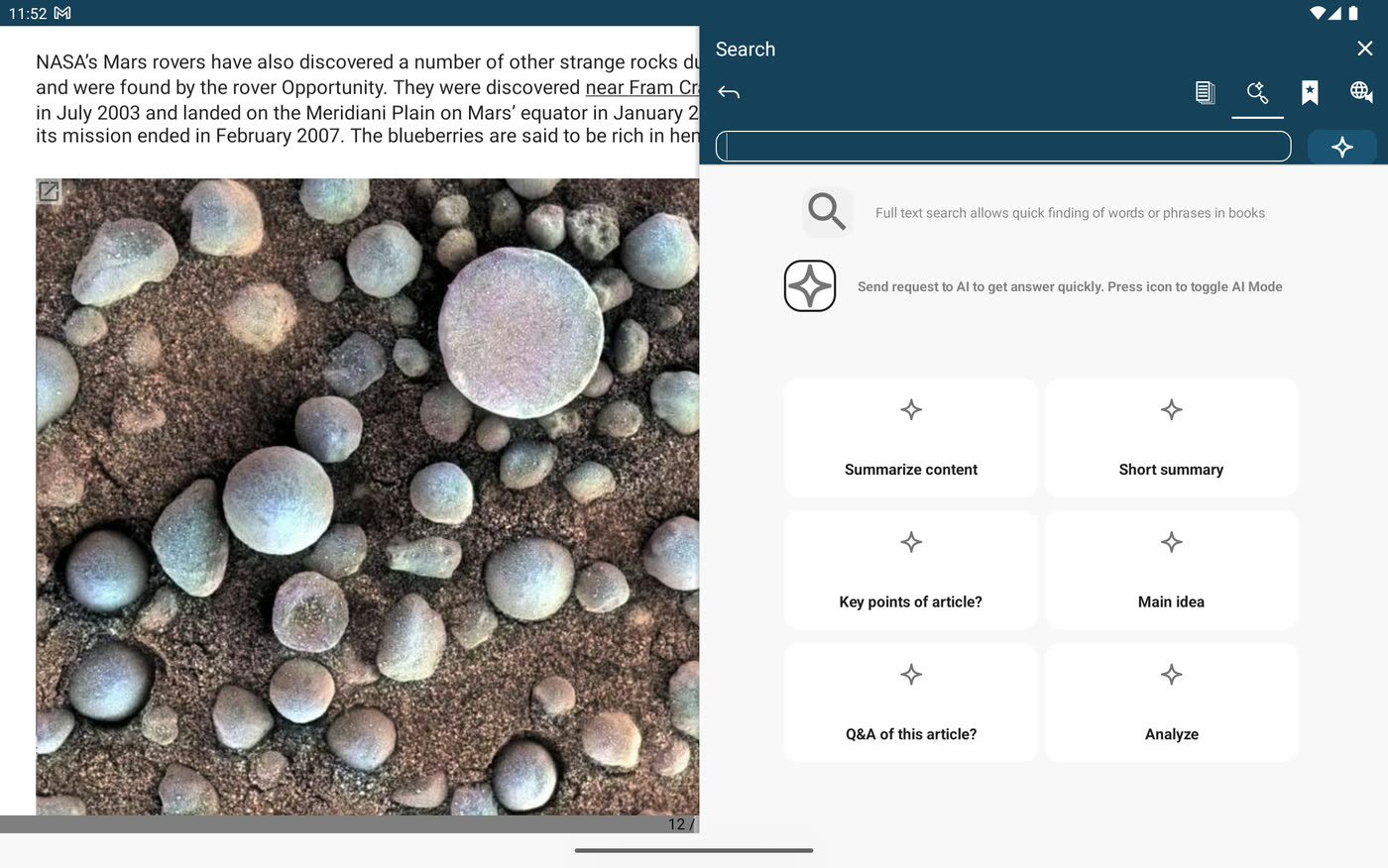
There are presets for common cases: Q&A of this article? turns a piece into questions and answers, a check of whether you understood it, and Analyze lists the strong and weak points of its argument.
Widen the scope and the question goes to your whole library: books, saved articles, notes, feeds. "What did that Nature piece say about dark matter detectors?" is answered from the article you read three weeks ago, with the source attached, so you can open it at that point.
Underneath is search by meaning. Describe the passage you half remember and it comes back, even when the words you typed are not the words on the page.
3. News sorted by meaning, and then by you
Feeds are usually sorted by date, and the newest article is rarely the one you wanted.
So pimReader adds another order. In any feed open Sort by, choose Semantic and name a topic ("battery technology", "the Spanish election", "sleep research"), and the articles closest to it rise to the top. Topics stay in the menu as chips, so the ones you care about are one tap away, and several can be combined. It is the same understanding of meaning as the search: an article about solid-state cells ranks high for "battery technology" without ever using the phrase.
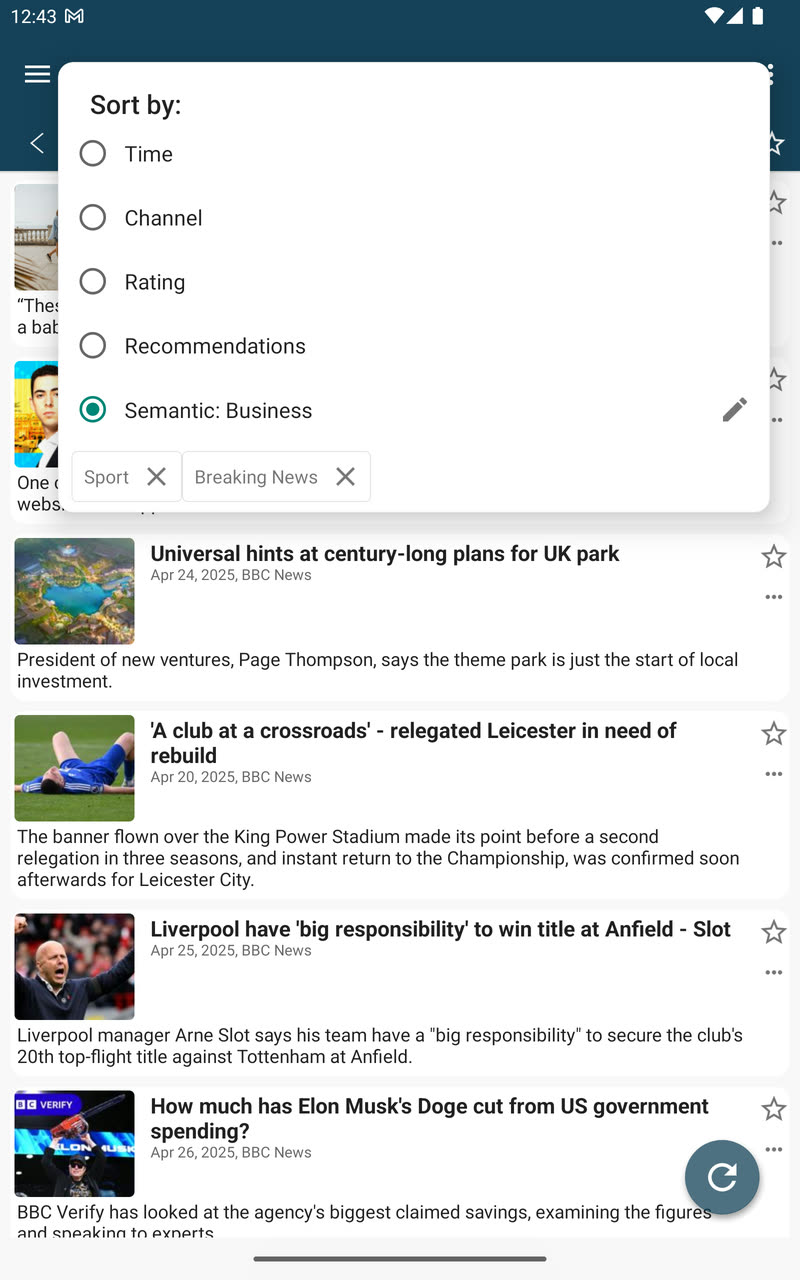
The third order needs no topic at all. After a few weeks of reading, choose Recommendations in the same menu and pimReader ranks your unread articles against your own history: what you read, rather than what you clicked. Early on the app tells you plainly that it needs more data. Keep reading; the list improves as the history grows.
What uses AI, and what does not
Summaries, questions, topic sorting and recommendations use AI, which is part of pimReader Plus. Everything else in the reader works without it: books in every common format, feeds, offline articles, the translation above the word, the dictionary, and flashcards with daily reviews. When you open an AI feature, pimReader offers Try free for a month: no card, no account, nothing renews. Tap Not now to carry on without AI.
The AI only answers when you ask. Nothing is summarised behind your back and nothing is hidden from a feed: date order is always one tap away.